
Before you log in
Confirm that you are using the intended destination and that the browser shows HTTPS. Avoid login links forwarded through unknown messages, social accounts or unofficial APK pages.
Security reminder: This information page never asks for your password, OTP, bank information or account recovery code.
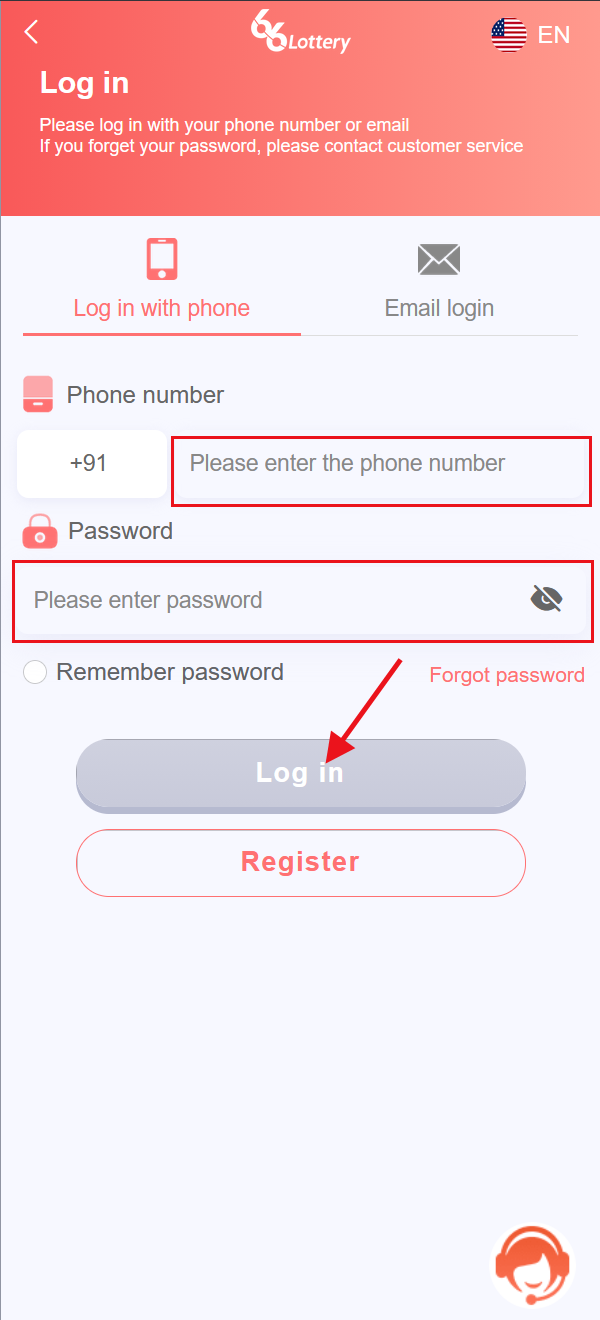
Step-by-step login
- Use the Open Login button on this page.
- Enter the phone number associated with your account.
- Enter your password.
- Select Log in.
Common login problems
OTP has not arrived
Wait at least one or two minutes, verify the phone number, check blocked SMS messages and switch between mobile data and Wi-Fi before requesting another code. Never send the OTP to another person.
Login page loops or appears blank
Close the tab, clear the browser cache for the account site and try a current version of Chrome, Safari or another trusted browser. Temporarily disabling a VPN may help if the service restricts VPN traffic.
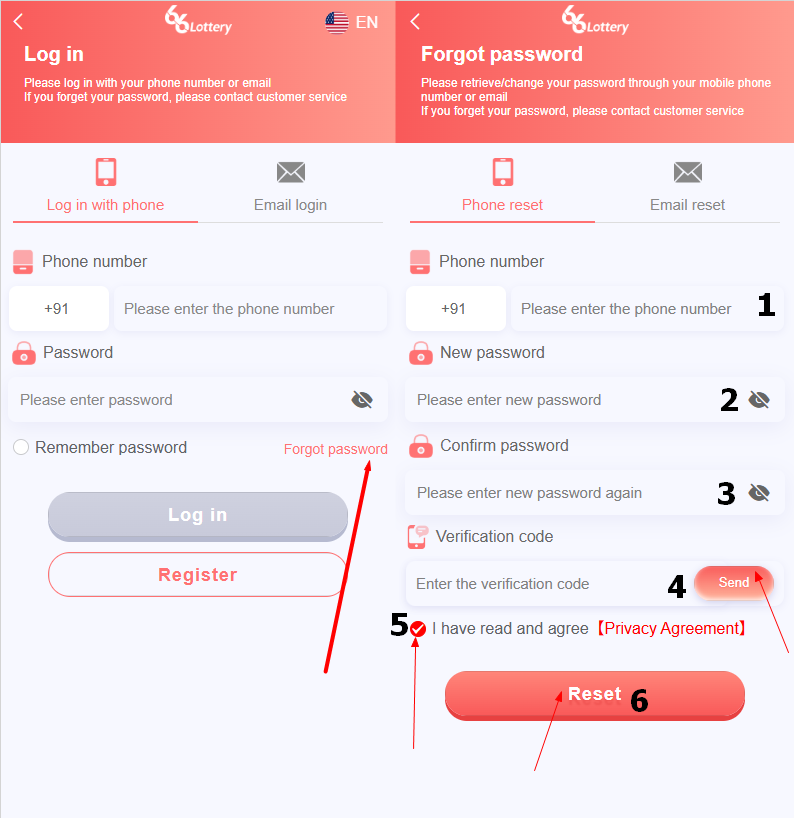
Forgot your password?
- Select Forgot Password on the login screen.
- Enter your registered phone number.
- Set and confirm a new password.
- Enter the verification code sent to your phone.
- Accept the Privacy Agreement if you agree, then select Reset.
Account is temporarily locked
Repeated failed attempts can trigger a temporary lock. Stop retrying, wait for the stated period and use the official support route.