
Check eligibility first
This guide is intended for users in India aged 18 or older. Availability and participation rules may differ between Indian states, so confirm that the service is permitted where you live before creating an account.
Registration steps
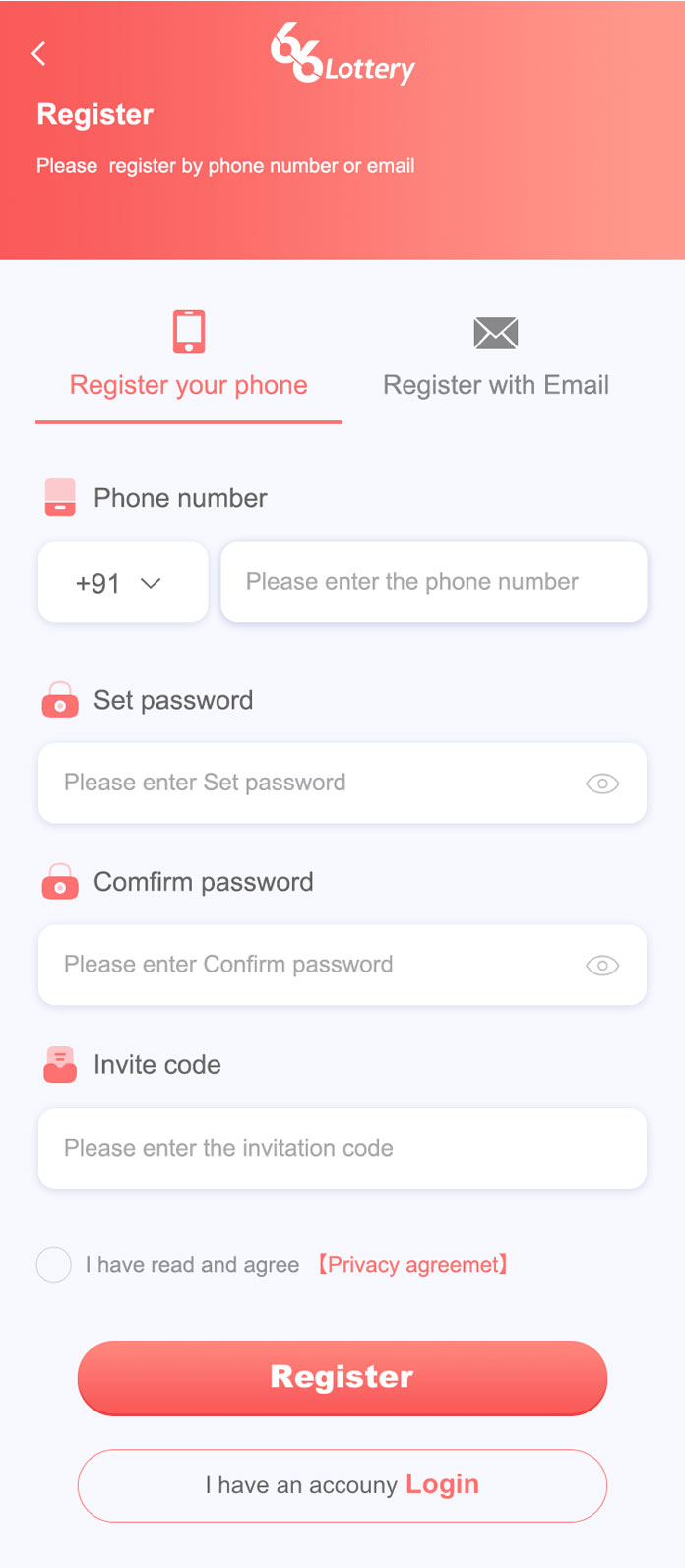
- Select Register to open the registration screen.
- Enter your 10-digit Indian mobile number using the +91 country code.
- Create a password of at least eight characters containing letters and numbers, then enter it again to confirm.
- Enter an invitation code only if you have one. This field is optional.
- Read and agree to the Privacy Agreement if you accept its terms.
- Select Register to complete account creation.
Use minimal data: Provide only information that is genuinely required. Leave the page if it asks for unexpected passwords, banking PINs or remote access to your device.
Registration troubleshooting
Phone number already registered
Use the login or password-recovery process instead of creating duplicate accounts. The service currently indicates that KYC is not required, but requirements may change and should be confirmed on the external platform.
Password rejected
Follow the displayed length and character rules. A longer unique password is safer than a short reused password.
After creating the account
Enable available security controls, keep recovery information current and never allow another person to control the account on your behalf.