
How to change your password
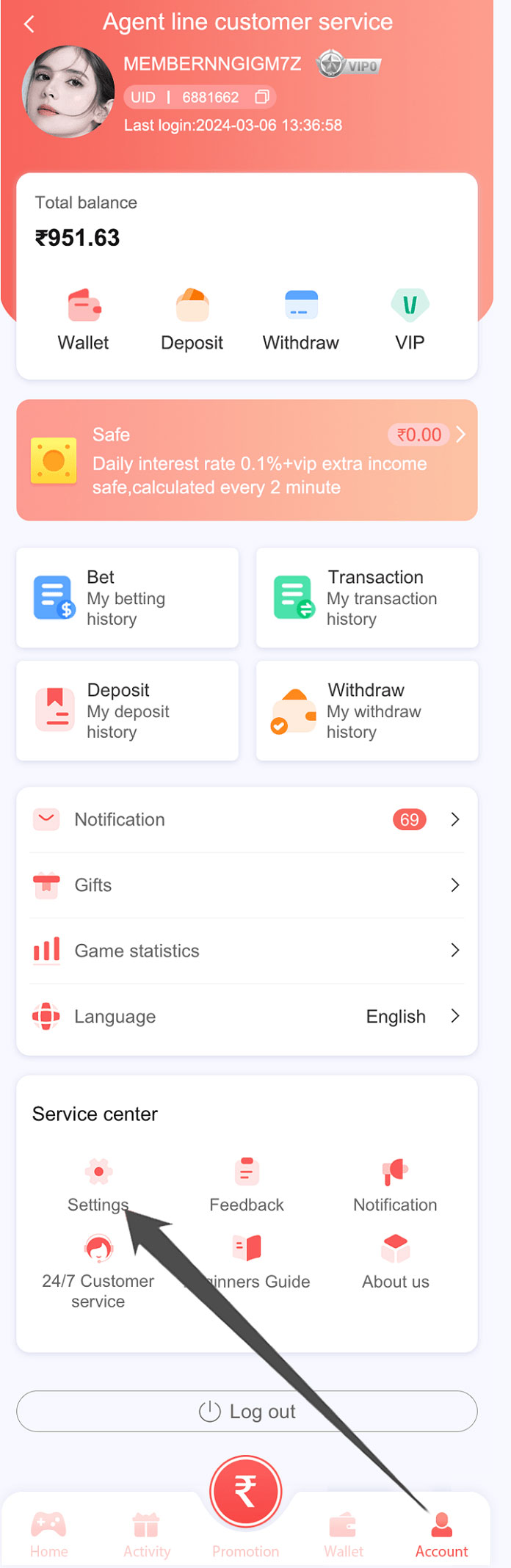
- Open My Account and select the settings icon.
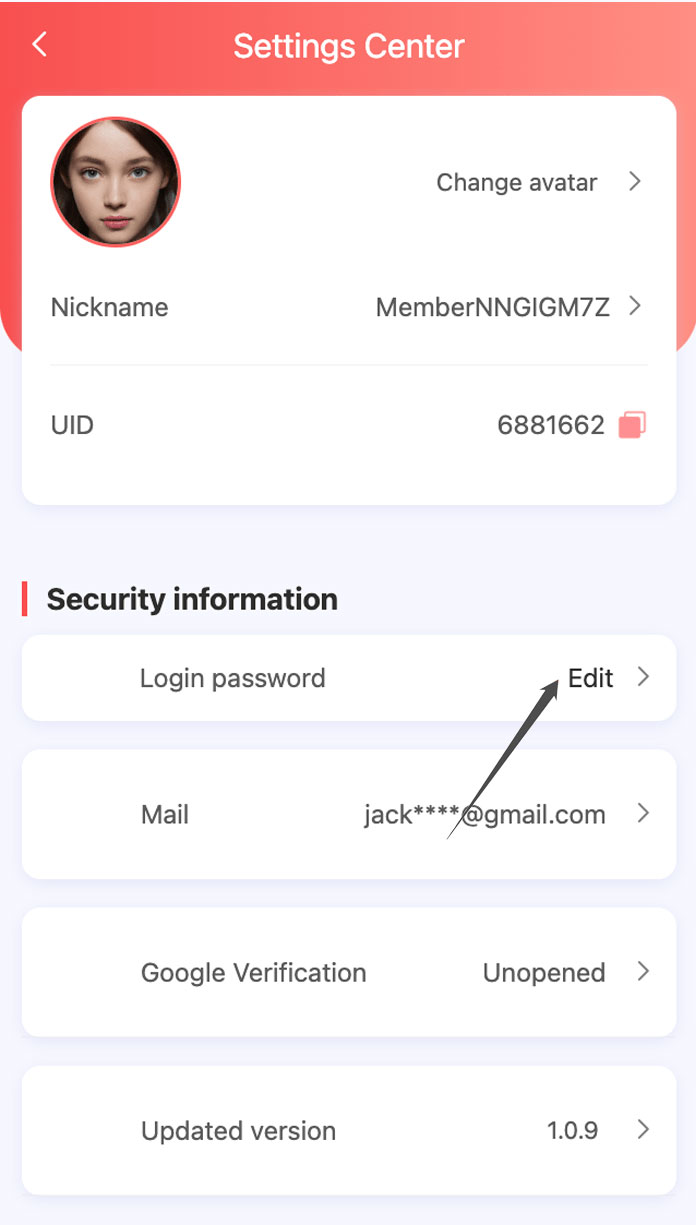
- Select Login Password.
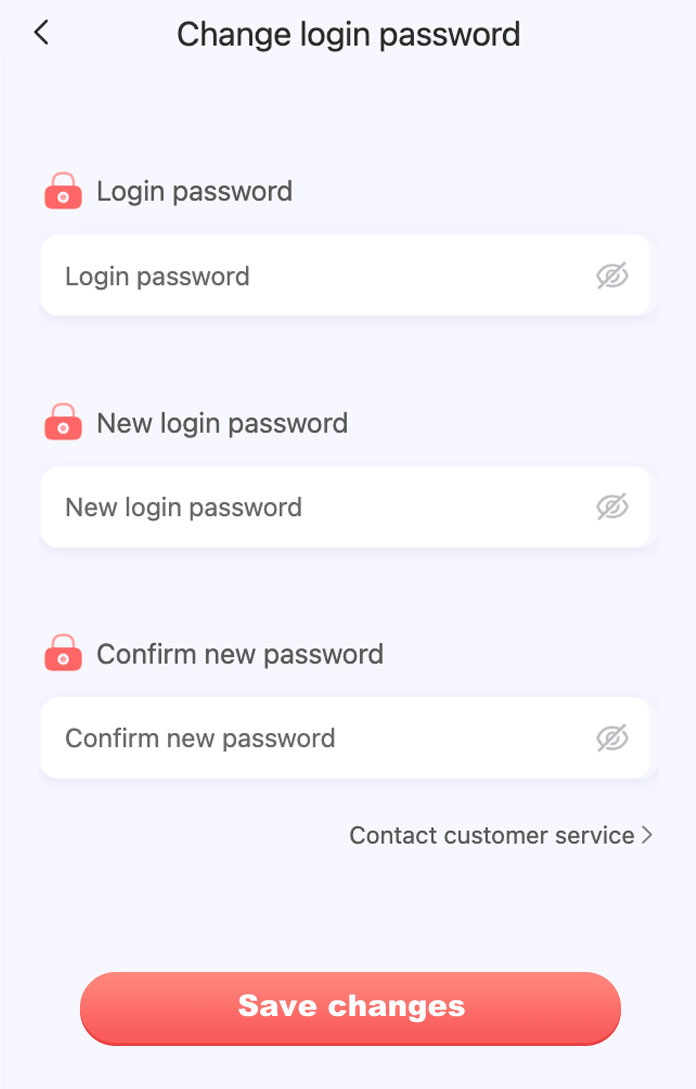
- Enter your current login password on the external account platform.
- Create and confirm a strong new password that you do not use elsewhere.
- Select Save Changes.
Security checklist
- Use a unique password containing letters and numbers.
- Never send a password, banking PIN or recovery code through email, Telegram or live chat.
- Do not install screen-sharing or remote-control software at another person’s request.
- Sign out on shared devices and protect your phone with a screen lock.
- If you notice unfamiliar activity, change your password and contact customer service immediately.
Independent website notice: This page provides information only. Account changes take place on the separate account platform.